Language
eelikField is available in four languages: Deutsch (German), Slovenščina (Slovenian), Bosanski (Bosnian) and English. You set the language in several places, because it applies to different things: your own view, the business, your customers and the app.
| What for | Where you set it | Who changes it |
|---|---|---|
| Your own view in the browser | At the top right using the language icon, on the phone in the user menu | Each person for themselves |
| The business’s default language | “Settings”, “Languages” | Owners and admins |
| A customer’s language | On the customer, “Language” field | Office roles |
| The language of the app on the phone | In the app under “Settings”, “Language” | Each person for themselves |
Your own language in the browser
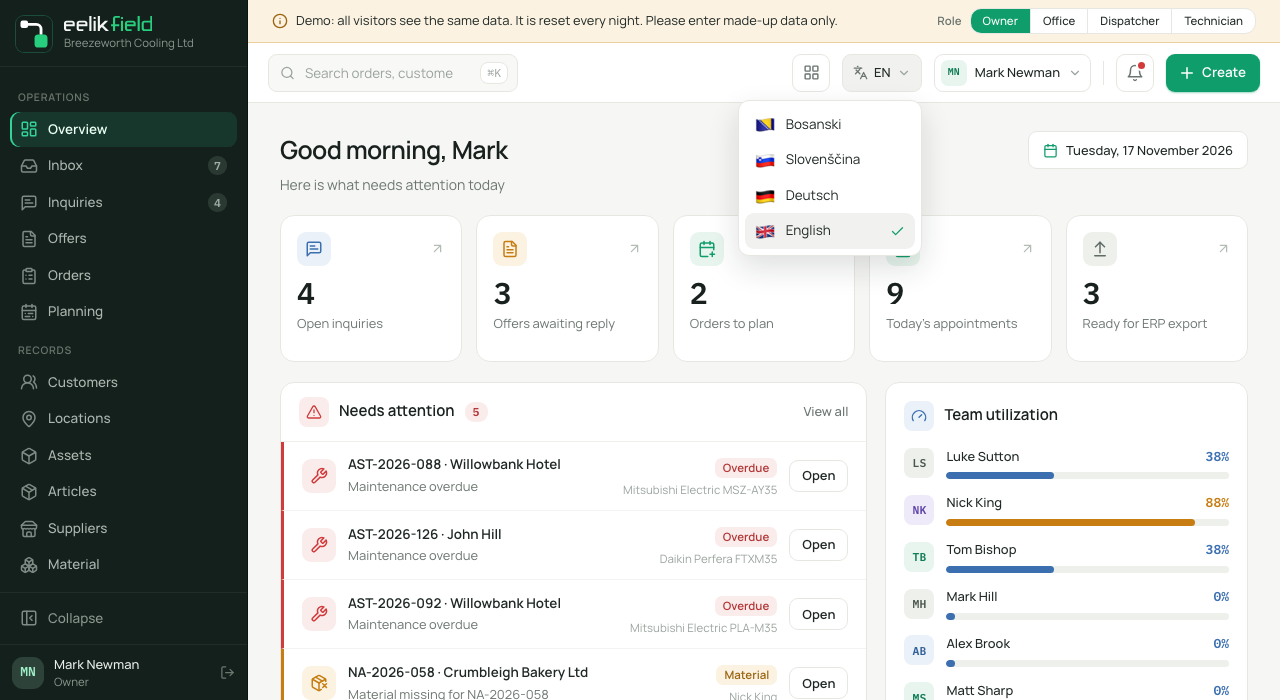
Section titled “Your own language in the browser”- At the top in the bar, click the language icon. It shows the abbreviation of the current language, for example “EN”.
- In the list, choose “Bosanski”, “Slovenščina”, “Deutsch” or “English”. The current language is ticked.
The interface changes immediately. Your choice is remembered in this browser, not in your account. On another computer or phone, you set the language again. If you have never chosen in a browser, the business’s default language applies.
On the phone
Section titled “On the phone”On narrow screens, such as a phone in portrait mode, the language icon is missing from the bar. There, you choose the language in the user menu:
- At the top right, tap your avatar (the letters of your name).
- In the menu, below your name, is the “Language” section with the four languages. Tap the one you want. The current one is ticked.
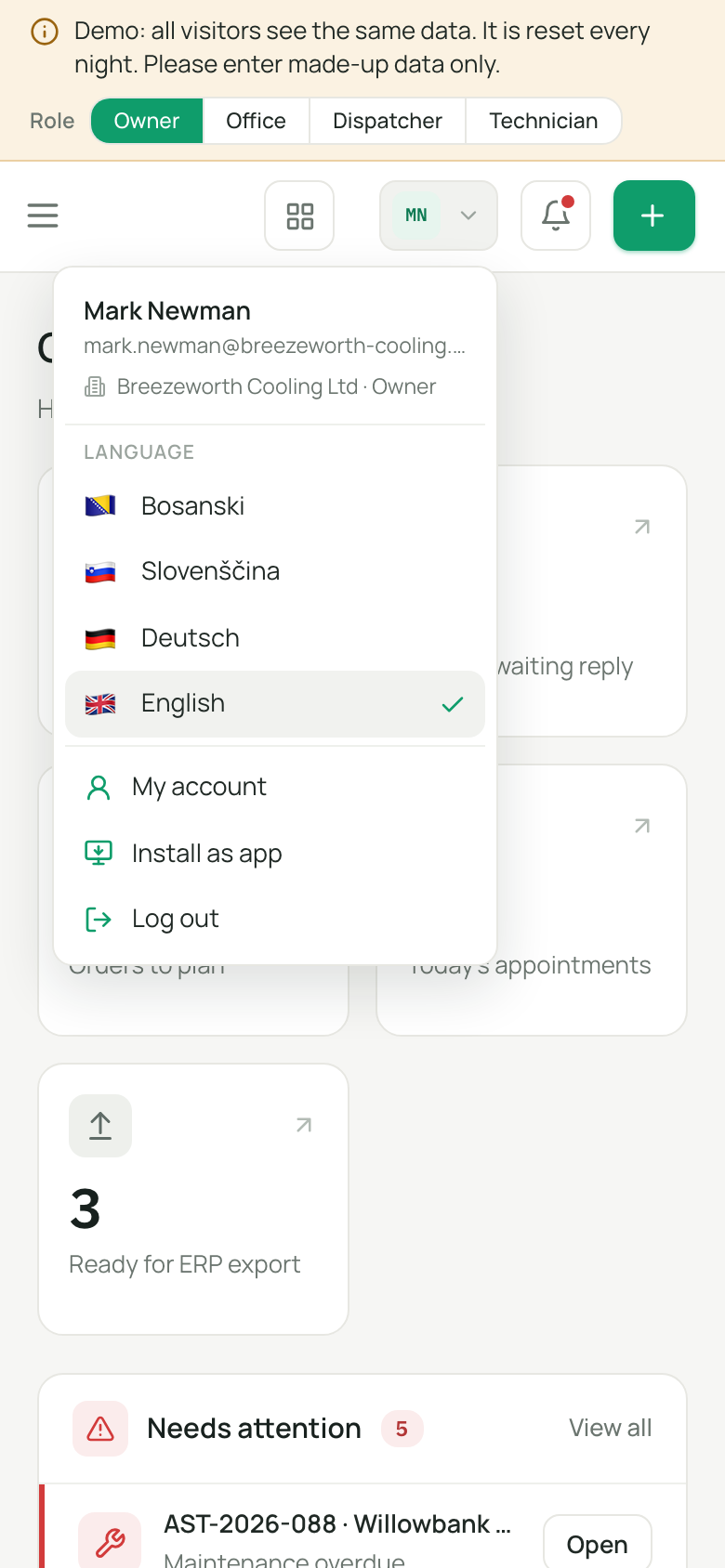
Here too, the choice applies only to this browser. On wider screens, it stays with the language icon in the bar.
The business’s default language
Section titled “The business’s default language”You set the default language during setup (Initial setup). You change it later like this:
- Open “Settings” and, in the “Company” group, choose the “Languages” section.
- The current default language carries the mark “Default”. For another language, click “Set default”.
The change applies immediately. You can also set the same thing in the “Company profile” in the “Default language” field and confirm it with “Save”.
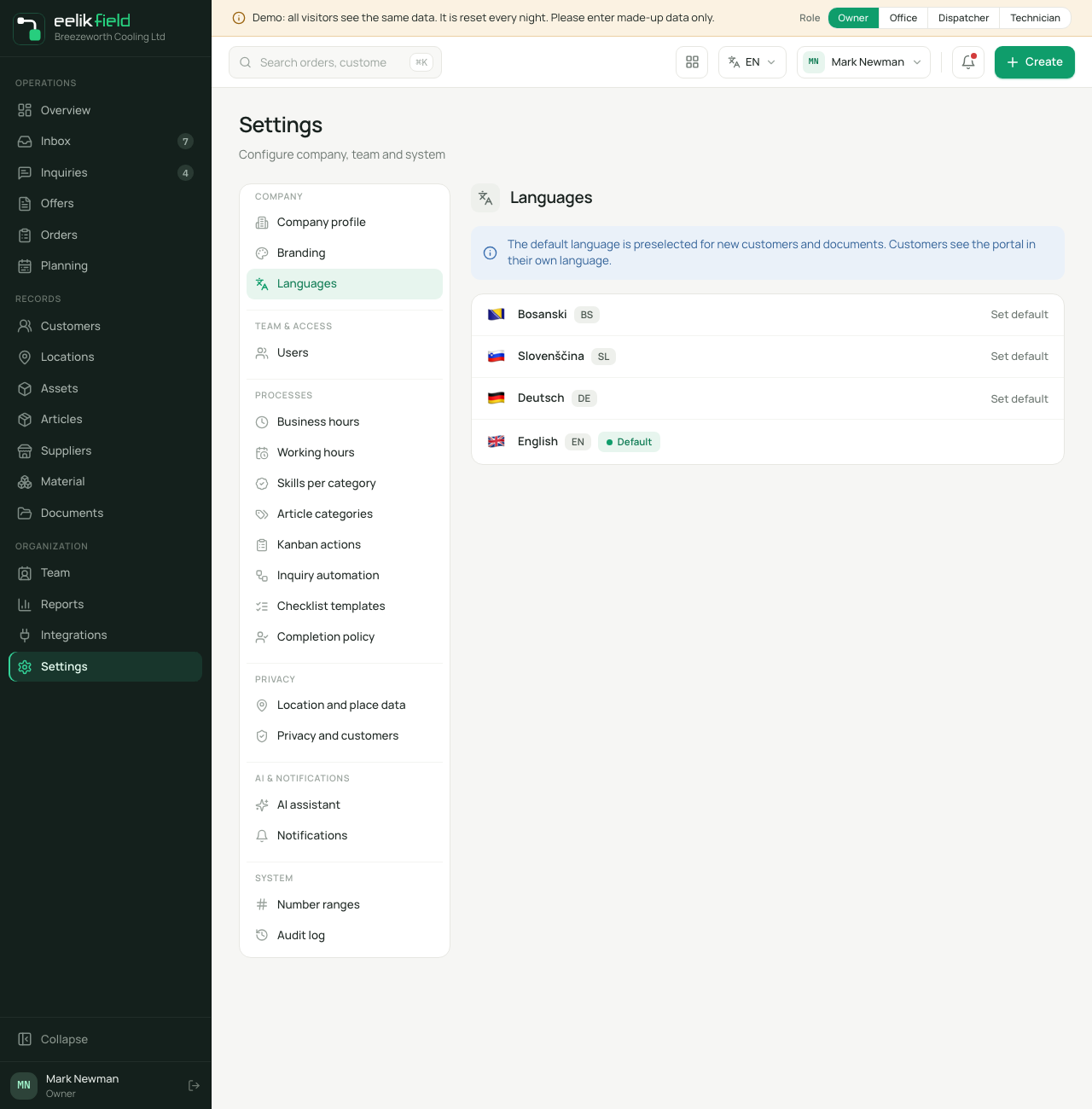
The note in the section says what the default language does: “The default language is preselected for new customers and documents. Customers see the portal in their language.” In addition:
- The team sees the interface in this language, as long as someone in the browser has not chosen a different language themselves.
- Emails from eelikField to your team, for example the invitation email, are written in the business’s default language.
- The entries in the “Audit log” are recorded in the business’s language.
All four languages are always active. You cannot switch a language off.
A customer’s language
Section titled “A customer’s language”Every customer has a language of their own. When you create one, it shows the language you are currently working in. You can change it at any time under “Edit customer”, in the “Language” field (Customers). Every contact person of a customer also has their own language.
The customer’s language determines the language in which they see the customer portal. A customer with the language “Bosanski” therefore gets a Bosnian portal, even if you work in German yourself (Customer portal).
The language of the app
Section titled “The language of the app”The app on the phone has its own setting. In the app’s “Settings”, under “Language”, you choose “System language”, Deutsch, Slovenščina, Bosanski or English. With “System language”, the app follows your phone’s language. More on this on the page App settings.
The language of this help
Section titled “The language of this help”The help is available in German, English, Slovenian and Bosnian. At the top of the page, you choose the language. The labels of buttons and fields appear in the help as you see them in eelikField in the respective language.
Frequently asked questions
Section titled “Frequently asked questions”I switched the language, but a colleague still sees the old one. Each person chooses their language in their own browser. The business’s default language applies only where nothing has been chosen yet.
Why does my customer see the portal in a different language from mine? Because the customer’s language applies to the portal, not yours. Change it on the customer.
Does the business’s language also apply to the app? No. The app follows its own setting or the phone.